If you want to update your offline Global Address Book, follow the steps below.
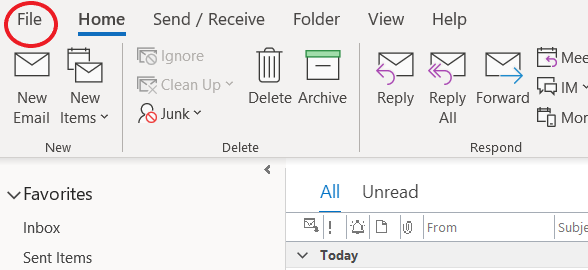
Step 1 - Navigate to the file tab in the top left of outlook.
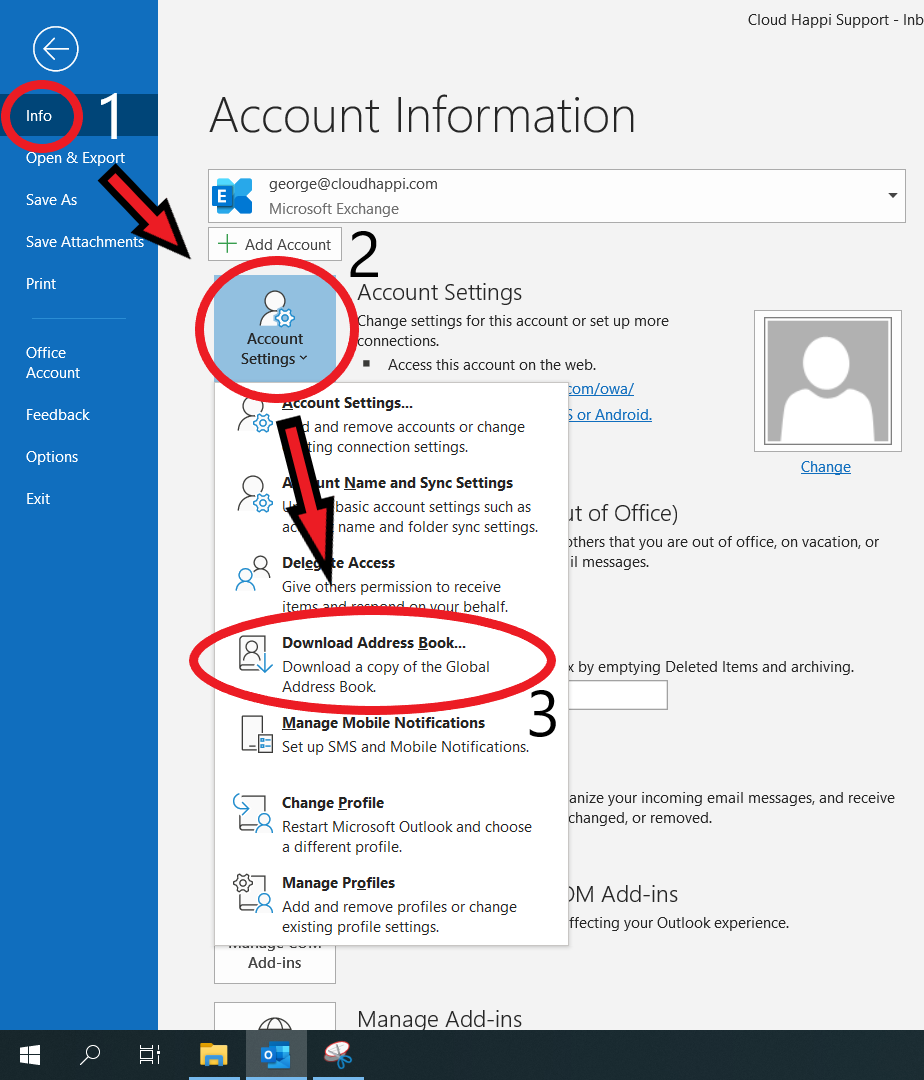
Step 2 - Make sure you are on the ‘Info’ tab then find the ‘Account Settings’ dropdown and select ‘Download Address Book’ (or follow the route taken in the image below.) This may take a few minutes but please allow the process to complete.
The Global address book should now be updated and synced with the exchange.
Was this article helpful?
That’s Great!
Thank you for your feedback
Sorry! We couldn't be helpful
Thank you for your feedback
Feedback sent
We appreciate your effort and will try to fix the article