- After logging into outlook.office.com, find the settings cog in the top-right, just next to your profile icon.
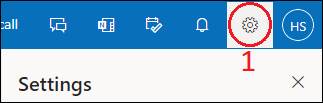
- Select “View all outlook settings” at the bottom of the side window.

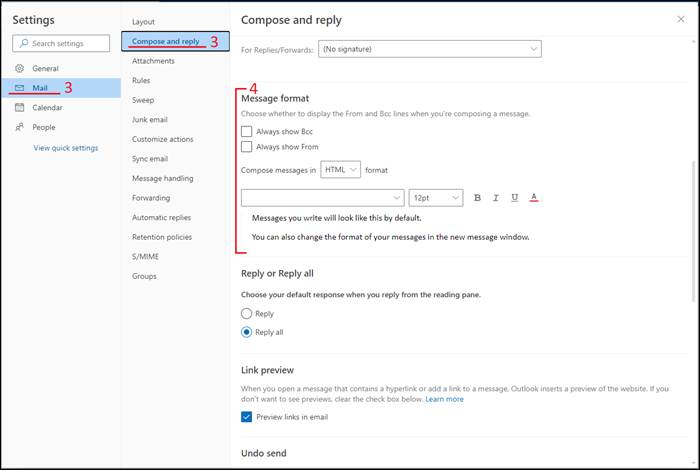
- On the new window that has appeared, select the “Mail” tab on the left. Then navigate to “Compose and reply” just to the right of that.
- Find the Message format section and select the font and font size from the menu buttons.
Was this article helpful?
That’s Great!
Thank you for your feedback
Sorry! We couldn't be helpful
Thank you for your feedback
Feedback sent
We appreciate your effort and will try to fix the article